Tuesday, April 24, 2012
It's Just The Beginning :)
Wow, I can't believe the semester is practically over!! I have definitely learned a lot in this class, and the 23 Things has helped me as a future teacher and given me experience with different websites and tools that I will use in my future classrooms. Some of my favorite exercises were when we had to make videos, pictures, and collages. Young children are very visual and I think that knowing how to make learning fun and engaging for the children will be very useful. I also liked the blogs available to teachers. This will be very useful if I ever have questions, want another teachers' opinion on something, or just simply want ideas for something. I did not know that there were so many tools and websites available just for teachers. I will definitely take everything I have learned in this class with me and use it in the future. I am glad that I have my blog to refer back to for anything that I need.

Thing 23
After going to the "23 Things" homepage, I scrolled down to the very bottom and under 'credits' was the following......
Learning 2.0 - 23 Things for Teachers is based on Learning 2.0 - 23 Things, a staff development program for the Mesquite Independent School District. That program was based on the Learning 2.0 program that was designed by Helene Blowers and adapted by the California School Library Association and others. Content and style for Learning 2.0 - 23 Things for Teachers has been borrowed and duplicated with permission, under a Creative Commons License.
This indicates that 23 Things was designed by a woman named Helene Blowers and has been adopted by many institutions.
After learning a lot about how Creative Commons works, I have found that it is very easy to find sources and use them while still doing it the right, legal way. I will definitely use this when finding sources for my future students in the classroom and also teach them about. I wish that I had known about Creative Commons a lot sooner. It would have been very helpful.
Learning 2.0 - 23 Things for Teachers is based on Learning 2.0 - 23 Things, a staff development program for the Mesquite Independent School District. That program was based on the Learning 2.0 program that was designed by Helene Blowers and adapted by the California School Library Association and others. Content and style for Learning 2.0 - 23 Things for Teachers has been borrowed and duplicated with permission, under a Creative Commons License.
This indicates that 23 Things was designed by a woman named Helene Blowers and has been adopted by many institutions.
After learning a lot about how Creative Commons works, I have found that it is very easy to find sources and use them while still doing it the right, legal way. I will definitely use this when finding sources for my future students in the classroom and also teach them about. I wish that I had known about Creative Commons a lot sooner. It would have been very helpful.
Monday, April 23, 2012
Thing 22
Language Arts
Above is one of my binders that I created. The other two binders that I created are titled 'Science Facts' and 'U.S. History'. I really liked this site because it is very easy to make a binder with educational links with useful information. All I had to was type in the title of my binder or a similar keyword into the search bar for Google and it pulled up many different sites that went along very well with my title and what I wanted my binder to be about. Next, all I had to do was to click on the resource that I wanted and then click "insert" to add that site to my binder. I would definitely use this in my classroom because it is a quick and simple way to get students connected to the exact sites and information that they need.
Above is one of my binders that I created. The other two binders that I created are titled 'Science Facts' and 'U.S. History'. I really liked this site because it is very easy to make a binder with educational links with useful information. All I had to was type in the title of my binder or a similar keyword into the search bar for Google and it pulled up many different sites that went along very well with my title and what I wanted my binder to be about. Next, all I had to do was to click on the resource that I wanted and then click "insert" to add that site to my binder. I would definitely use this in my classroom because it is a quick and simple way to get students connected to the exact sites and information that they need.
Thing 21
Make your own slide show at Animoto.
I really liked Animoto. I didn't know that making a video like this would be so easy. This site makes it very easy to create videos and personalize them to make them your own. All you have to do is upload the pictures that you want first. You can either use Flickr or just send pictures to your email, save them to your computer, then upload them to go on the video. It also lets you chose from many different background and graphics and also many different songs. I really liked this because you could use it in your classroom or for a special event and it is so quick and easy.
Wednesday, April 18, 2012
Thing 20
This video is about how socioeconomic status and how it affects the quality of education that students receive. This video is about two seniors in the very different high schools. The first student attends a very high SES school while the second attends a very low SES school. It shows the things that the higher SES school has that the lower SES school does not. The two students indicate that because of the condition that their school is in and the things that they have access to greatly affect they type of education the get and also their drive and desire to learn. Youtube is very helpful and useful to me because I used this video for a project for another class this semester. I was required to have two video sources and I found this video along with another one that were perfect for that project. I like Youtube because when you look up a video, to the right of the screen there are a bunch of other videos that appear that are similar to the one you just searched. This is helpful because when you look up something there are a lot more videos just like it that it finds for you. This is very helpful when you need more than one video on a certain topic.
Thursday, April 5, 2012
Thing 19
http://teacherpop.ning.com/profile/KaylaMorganSatterly
I am a member of Facebook and now a member of TeacherPop. I really like Facebook and TeacherPop. Teacherpop because it has a lot of people in the Austin Peay education program that you can talk and collaborate with a bout anything that you might be struggling with or simply have questions about. I really liked all of the cooking sites, especially Open Source Food. There are so many recipes that you can look up and a lot of cooking ideas. It is very easy to find anything that you need for special occasions or just regular meals. I also liked the Crafts. There are so many ideas that you could incorporate into your classroom or just do on your own with your family. This could be a fun idea for families to do together around the holidays that they could keep forever. I also like Teacher Library. This will be very helpful to me and other teachers because if you are looking for a certain kind of book for a specific lesson plan this site makes it very easy to find what you are looking for.
I am a member of Facebook and now a member of TeacherPop. I really like Facebook and TeacherPop. Teacherpop because it has a lot of people in the Austin Peay education program that you can talk and collaborate with a bout anything that you might be struggling with or simply have questions about. I really liked all of the cooking sites, especially Open Source Food. There are so many recipes that you can look up and a lot of cooking ideas. It is very easy to find anything that you need for special occasions or just regular meals. I also liked the Crafts. There are so many ideas that you could incorporate into your classroom or just do on your own with your family. This could be a fun idea for families to do together around the holidays that they could keep forever. I also like Teacher Library. This will be very helpful to me and other teachers because if you are looking for a certain kind of book for a specific lesson plan this site makes it very easy to find what you are looking for.
Thursday, March 29, 2012
Thing 18
http://www.facebook.com/#!/profile.php?id=1633603630
It is important for teachers to know how social networking works because there is a lot of important information for teachers on social networking pages. In today's world, everything is done through technology. Most everyone has a Facebook, a Twitter or both. This is the main means of communication and staying up to date with current things. Facebook is my favorite because not only can you communicate with people in more than one way but you can also go to pages for your school, organization or job. I did not really prefer Twitter simply because it is mainly only about reading about the constant updates people post. This, to me, does not really seem like an academic resource. I do not think that Facebook or Twitter should be used for classroom purposes. Even though Facebook does have certain things that could be used for educational purposes, it is mainly used for social media and there are far more sites and tools out there that would be better suited for the classroom than Facebook.
It is important for teachers to know how social networking works because there is a lot of important information for teachers on social networking pages. In today's world, everything is done through technology. Most everyone has a Facebook, a Twitter or both. This is the main means of communication and staying up to date with current things. Facebook is my favorite because not only can you communicate with people in more than one way but you can also go to pages for your school, organization or job. I did not really prefer Twitter simply because it is mainly only about reading about the constant updates people post. This, to me, does not really seem like an academic resource. I do not think that Facebook or Twitter should be used for classroom purposes. Even though Facebook does have certain things that could be used for educational purposes, it is mainly used for social media and there are far more sites and tools out there that would be better suited for the classroom than Facebook.
Wednesday, March 28, 2012
Thing 17
I liked Delicious because all you have to do is copy and paste the URL of the website you want to come back to and bookmark it in your stack. This is very convenient because if you are somewhere else on another computer and do not remember how you got to a certain website, all you have to do is sign in to your Delicious account and go to your stacks and there it is. I think this would be used mainly for personal use, but I can see how one could incorporate it in classroom use. If there is a certain website that you need for a lesson or activity and do not have time to write it down you can simply bookmark it and come back to it later. I think that this would also be useful to me now when doing research for papers. I get so frustrated when I find a very good source and the next day I can't remember where I got it. This would make it so much easier because you would have all of your sources right there in one place.
Thing 16
For my start page, I chose the new updated version and chose a really cute background. I will most likely keep this as my permanent setting. I really like the new version because it is much easier to see everything. It has the weather, Gmail, News, Popular movies, a Youtube searchbar, Jokes and Recipes. This is very useful because everything is right there in one place and easy for you to access. I think something like the calender would be very helpful because it is a good way to organize everything in a neat way and you can print it when you are done. I think something like the to do list is a little to much work for what it is. For a calender, it is necessary because there are different dates and times for things. With a to do list it is just simply writing something down. I would much rather just write it down then go through the trouble of making a list online. I would definitely use the calender in the classroom and at home. My life is hectic enough now as it is I can only imagine how much crazier it will be when I am actually teaching. The calender will definitely help my keep up with deadlines, important events, conferences, and other important dates.
Thing 15
I really liked the Sandbox wiki. I liked all of the wiki's because you can post your ideas and see what people think about them. You can also view what other people have posted and it may give you fun ideas for your classroom or newsletters. I also liked the teacher library wiki because it included many helpful links for teachers. I found it very interesting that you could edit a main page, and when you clicked the edit button to add what you wanted, you could also just delete what other people had posted if you wanted to. I did not really like this about it but other than that this seemed like a very helpful and useful tool for teachers.
Monday, March 19, 2012
Thing 14
I chose bubbl.us and mindmeister. I really liked bubble.us because you can start with one idea and branch off into many others. This makes writing papers and organizing ideas so much easier! I always struggle with organizing my thoughts and what I want to put in my papers and in what order. This makes it so easy to do that. I really liked mindmeister because it gives you so many options. You can choose from twelve different top templates, or choose a template from nine other categories like Business, Education, and Entertainment. Both of these were very easy to use and were both free. I will use this when preparing for my reflections paper and a research paper for another class that I have this semester. I will definitely show this to my students because this can be a very useful tool for students when writing their papers and organizing their ideas.
Wednesday, March 14, 2012
Thing 13

When comparing the two sights I immediatly realized a couple of things. First off, the Zoho sight had a lot going on and was really confusing to navigate. I didn't really know where to go or what to click on. School projects and assignments are stressful enough without the added aggravation of not knowing how to navigate a website. Google Docs, on the other hand, I liked. I have used it before in my Education 2100 class to communicate and collaborate with classmates on a group project. I like it because it is simple and straight forward. Even a first time user can navigate this website easily and successfully. Students can use Google Docs to collaborate on projects. They can make spreadsheets, presentations, drawings, and tables. These can be very useful for projects.
Monday, February 20, 2012
Thing 12
I chose to do a Google alert and use iGoogle to customize my homepage. For the Google alert it lets you type in anything you want and to the right it will actually show you the Google results so you can decide if that is what you want. You can customize it to alert you "once a day", "once a week", or "as it happens". You can also customize the result type to News, Blogs, Videos, Discussions, Books or Everything. It also lets you choose "only the best results" or "everything". I really like this because it sends updates straight to your email. When I clicked on the iGoogle, it gave me options for news updates that interested me right on my homepage such as sports, entertainment, news, music, and technology. It also gave me a choice of five designs for me page. After choosing the ones that I wanted my page had updates of all the things that I chose. Google alert will be helpful to me when I am a teacher because if there is an important issue going on that I need to stay updated on, Google alert does it for me. All I have to do is check my email.
Thing 11
When I am on my Blogspot home page there is a link to Google Reader. I clicked on that and it went straight to my Google Reader and had a list of all of the feeds that I had already subscribed to. There was also a search bar to subscribe to new feeds. This is the easiest way to find feeds. You simply type in whatever you are interested in and it pulls up many different feeds on that subject. All you have to do is pick one and subscribe to it. After looking at the three feeds offered on the 23 things page, I like Technorati the best. I typed in Technorati into the search bar on my Google Reader homepage and it came up. I hit subscribe and I am now subscribed to it on my Google Reader. This was the easiest way for me because the link is already in my Blogspot. The most confusing would be looking at the feeds first and then trying to subscribe to them. I really like Technorati because it had a variety of different feeds. It has everything from movie reviews to sports updates.
Tuesday, February 14, 2012
Thing 10
I liked this exercise because it is so easy to look up anything you want and have so many website on that topic come up that you can subscribe to. Its also easy to check the websites because you subscribe to them all you have to do when you log into your Google Reader account is look at your subscriptions and they will all be there. This will be very helpful to me in my classroom because I can look up things like, "Creative classroom ideas", "effective ways of communicating with parents", and effective teaching skills." These are just three of the things that I looked up when subscribing. I think they will be very beneficial to me in my classroom and give me good ideas for new things. I could also use this in my personal life for holiday ideas, recipes, decorating, arts and crafts and anything else that I could think of. You can look up pretty much anything. Teachers can take advantage of this by asking questions that they have and seeing what pops up. Simply typing in something like "discipline strategies" will bring up so many helpful websites that you can subscribe to and check every day for new ideas.
Sunday, February 12, 2012
Thing 9


Here is the link: http://www.imagechef.com/
I chose to used ImageChef. I love this!! You can choose from so many templates and put pictures in them and insert a text saying whatever you want. It allows you to make word mosaics and insert your photo into a photo frame. You can choose from many categories of designs for these. There are also many categories for the templates from birthday to music to sports. First, I typed in "beach" in the search bar for templates. The moving picture came up and allowed you to insert a text. Next, I typed in "valentine's day card". Many images came up. I chose one that I liked and inserted a picture of myself and text. There was the option to insert a design also. I chose a heart.
I would use this personally to send things be email such a invitations and holiday cards. There are so many cute options and you can customize it any way you want. The website is very easy to navigate and takes about a minute to edit any template the way that you want. I would use this in my classroom to send emails to parents with upcoming events in the classroom and holiday cards as well. I could also used this to create interesting handouts for my students and pictures to use around my classroom.
Tuesday, February 7, 2012
Thing 8

Thing 8, a photo by ksatterly on Flickr.
This is so cute. I really think this can be useful in the classroom for making things more interesting and appealing to the students. This could be good in the classroom to make things more creative. There were a lot more options than the puzzle that were really cute. You could also use it in your personal life for things like flyers, advertising, scrapbooking or invitations. I like sharing pictures online because you can personalize them, edit them, and do these kinds of things to make them more interesting.
Sunday, February 5, 2012
Thing 7

This photo was taken by Moyan Brenn in Italy. Here is the link: http://www.flickr.com/photos/aigle_dore/3758688702/
After looking around Flickr, I just typed in "pink" in the search bar. The pictures were all so cute! I ended up just looking at the pictures for a while. I finally came across this one after looking at seven other pages and really liked it. The photographer said that this is very rare to find a pink cloud all by itself. Of course I like it because it is pink, but also because I love the beach. I like this picture because it is very pretty and it is different. I liked using Flickr because you can find so many pictures of different things. I also like it because they are photos that people post and write about. You can also do the advanced search and specify what you want even to the exact day. You can also find videos and organize the pictures that you like. You can personalize your profile and also find friends on Flickr. It makes it really easy to add contacts to your Flickr by letting you go through your Facebook account and add your friends through that.
Wednesday, February 1, 2012
Thing 6
I chose Hulu. I actually use this a lot. I really like this tool because it has movies and all the popular T.V. shows. I am always staying up late studying and this makes me miss all my shows. I like Hulu because I can catch up on all my shows at my convenience. If you do not have a particluar show that you need to see each week, Hulu makes it easy to find something that will interest you if you are bored. At the top it gives you the option to choose browse, most popular or recently added. After that you can choose shows, episodes, movies or documentaries. It is very helpful because if you are not sure if you will like what you choose it allows you to watch a trailor. I do not think that I could see Hulu used in a school or library setting because it is mainly for shows that you watch in your leisure time and do not have much to do with school. However, I do think that the option to watch documentaries could be useful for reseach or writing papers. Here is the link :) http://www.hulu.com/
Tuesday, January 31, 2012
Thing 5
What does School 2.0 mean to me? It has turned the Internet into something that people can not just read, but now be a part of. It has turned the Internet from "passive to active." It allows people to connect by social networks. As stated in "Web 2.0: A Guide for Educators", "the opportunity for instant global publication is something our students take for granted as normal and common place." This is so true. I remember having a myspace at 14 and getting a Facebook later in high school. I think that our generation does take these things for granted. They do also seem common place. These days almost everyone has a Facebook and it is a main way that we communicate and keep in touch with each other.
This will be very good for schools of the future because, as we have seen, teachers can create blogs and comment on blogs. This creates a way of communicating and colaborating with other teachers as well as communicate with parents about problems that may be going on with the child. This is also a good way of letting parents know about upcoming tests, projects or post newletters. If one of your students is struggling in a certain subject you could put practice problems and practice quizzes on your blog for the child to do at home and their parent could help them with. This helps the child get a better grasp for what they are struggling with and also helps the parents to stay involved.
This will be very good for schools of the future because, as we have seen, teachers can create blogs and comment on blogs. This creates a way of communicating and colaborating with other teachers as well as communicate with parents about problems that may be going on with the child. This is also a good way of letting parents know about upcoming tests, projects or post newletters. If one of your students is struggling in a certain subject you could put practice problems and practice quizzes on your blog for the child to do at home and their parent could help them with. This helps the child get a better grasp for what they are struggling with and also helps the parents to stay involved.
Thing 4
Commenting on blogs is beneficial in many ways. After all, if nobody commented they would be pretty pointless. The whole point is to post something and then to see what other people have to say about it. It is a positive way to get feedback and to know the negative and positive to the things that you have posted. Comments also give other people that look at your blog a beneficial conversation to read. Conversations that people may have on your blog may answer a question that they had. I chose five people from my class to follow their blogs and I also chose two other blogs about elementary school teachers. The five classmates that I chose are Shanna Young, Rebecca Sloffer, Leslie Littleton, Erin Beifuss, and Shelby Rogers. The two other blogs of interest that I chose are titled, "Elementary Teacher Blog" and " Teaching Blog Addict." The comments that I made on my classmate's blogs were mainly about the 7 1/2 habits because I could relate to most of them. The comments that I left on the two blogs of interest were about the useful links that were on the page about writing papers, being creative with learning in the classroom, and ways to effectively communicate with parents.
Tuesday, January 24, 2012
Thing 3
A blog would be very useful and beneficial in my future classroom. I could post calenders that had assignments that are due each day and that also listed what would be covered in class each day. This would allow parents to prepare their students and also help them to feel included. I could also post projects that the students did in class so that their parents could see their child's creativity. Creating a blog would be very useful for parent/teacher communication. It would allow parents to post and respond to other parents as well as the teacher. It would also allow the teacher to see what all of the parents have to say to each other and how they feel about certain things. Another useful thing to put in the classroom blog would be practice homework problems such a writing prompts, vocabulary activities and math problems. If a child is struggling in any of these areas, it gives the parent the opportunity to help their child from the comfort of their home.
Thing 2
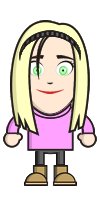
Creating my blog was a little frustrating. As a said in Thing 1, I am very bad with technology so it was a little hard for me. For my posting name I put my first and last name. I thought that it would be easier for the professor and everyone else who reads my blog. For the name of my blog I kept it simple. For me personally, I don't like when people make up weird names for things like this online to where there is no way you know who it is. I just tried to keep both as simple as possible for everyone. Creating the blogwas hard for me. There were so many different things that you had to register for, get confirmation emails for, and create usernames and passwords for. It was all so much and it got really overwhelming. Creating the Avatar was my favorite part. I tried to make it look as much like me as I could. Even with the Avatar I still struggled a little knowing what to click on and for what.
Thing 1
After watching the video, it was very obvious to me what was going to be the hardest and easiest habits for me. The hardest habit for me is habit 6, using technology to my advantage. Even as a child in the third grade, I can remember stuggling with computers. Technology has changed a bit in the last ten years. Each course I take seems to go more and more in depth with the technology we have to use and requires more and more knowledge about it. I have been forced to become more familiar with technology but it still confuses me. I am sure that if I knew how to use technology to its full potential it would benefit me and make my life a lot easier.
The easiest habit for me is habit 1, that I begin with the end in mind. College is a long road and it's very easy to lose sight of why you are doing this and your goals. When a class seems overwhelming I just have to remind myself that each class I take is necessary to achieve my end goal. My end goal is to become a teacher and there are many things that I need to do to make that happen. It can get very depressing when you think of how long it's going to take and all of the things that you have to do. You just have to constantly remind yourself that all of this is necessary to achieve your end goal.
The easiest habit for me is habit 1, that I begin with the end in mind. College is a long road and it's very easy to lose sight of why you are doing this and your goals. When a class seems overwhelming I just have to remind myself that each class I take is necessary to achieve my end goal. My end goal is to become a teacher and there are many things that I need to do to make that happen. It can get very depressing when you think of how long it's going to take and all of the things that you have to do. You just have to constantly remind yourself that all of this is necessary to achieve your end goal.
Subscribe to:
Posts (Atom)